


HP t530 Thin Client 4GB RAM 32GB SSD – Compact Business Desktop
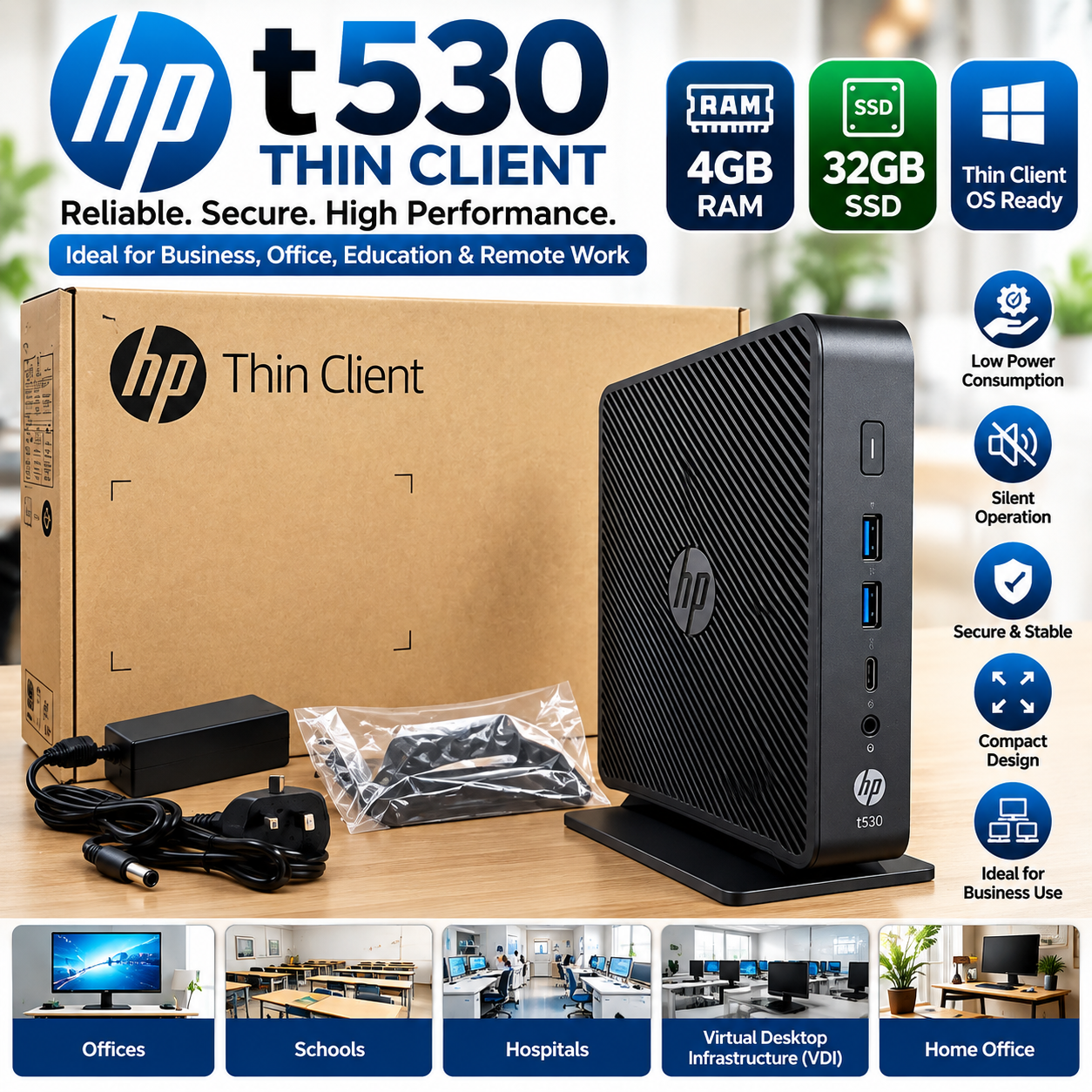
The HP t530 Thin Client is a compact and efficient computing solution designed for business environments, offices, schools, call centres, healthcare facilities, and virtual desktop infrastructure (VDI). With 4GB RAM and 32GB SSD storage, it provides a practical platform for lightweight desktop applications, network-based computing, remote desktop environments, and everyday business tasks.
The HP t530 is designed around the thin-client concept, where applications and data can be hosted centrally while the local device provides the interface users need. HP’s official specifications list the t530 with AMD GX-215JJ dual-core processing, DDR4 memory options including 4GB, and M.2 flash storage options including 32GB.
Key Features
HP t530 Thin Client
4GB DDR4 RAM
32GB SSD/Flash Storage
Compact space-saving design
AMD dual-core processor platform
Designed for thin-client and VDI environments
Supports centralized computing environments
Dual-display support
Low-power computing design
Suitable for offices, schools and business environments
Reliable HP business-class hardware
Multiple connectivity options
Compact vertical or desktop-friendly form factor
Technical Specifications
Specification Details
Brand HP
Model HP t530
Device Type Thin Client
Processor AMD GX-215JJ Dual-Core
Processor Speed 1.5GHz base / up to 2.0GHz
Graphics AMD Radeon R2E
RAM 4GB DDR4
Storage 32GB Flash/SSD
Memory Type DDR4 SDRAM
Storage Interface M.2
Display Support Up to 2 displays
Display Outputs 2 × DisplayPort; VGA optional depending on configuration
Operating System Options HP ThinPro, HP Smart Zero Core, Windows IoT Enterprise and other supported configurations
Form Factor Compact Thin Client
Usage Business, VDI, Remote Desktop, Education, Healthcare, Call Centres
Brand HP
HP documentation states that the t530 supports up to two displays and provides two standard DisplayPort outputs, with an optional VGA port depending on configuration.
4GB RAM + 32GB Storage
With 4GB of DDR4 RAM, the HP t530 is configured for practical thin-client workloads and everyday network-based computing. The 32GB flash storage provides local space for the supported operating system and essential system files while keeping the device compact.
HP’s QuickSpecs identify 4GB as one of the available memory configurations and 32GB as one of the available storage capacities.
Ideal for Business & Professional Use
The HP t530 is particularly suitable for organizations that want centrally managed computing rather than deploying large traditional desktop PCs at every workstation.
Recommended Applications
Corporate offices
Small and medium-sized businesses
Call centres
Schools and training centres
Hospitals and healthcare facilities
Reception desks
Customer service stations
Point-of-service environments
Remote desktop workstations
Virtual Desktop Infrastructure (VDI)
Server-based computing
Administrative workstations
Internet and cloud-based applications
Designed for Thin-Client Computing
A thin client is designed to work with applications and resources hosted on a server, cloud platform, or virtual desktop environment. This allows organizations to centralize management, applications and data rather than maintaining fully configured PCs at every workstation.
The HP t530 was specifically designed for highly virtualized environments, with HP noting that traditional thin-client deployments can keep applications and data in a remote data centre while the local flash storage is primarily used for the thin-client operating environment.
Compact Space-Saving Design
The compact design of the HP t530 makes it easy to deploy where desk space is limited. It can be used in office workstations, reception areas, classrooms and other professional environments where a full-size desktop computer may be unnecessary.
Its small footprint also makes it convenient for organizations deploying multiple workstations.
Dual Display Capability
The HP t530 supports up to two displays, making it useful for users who need multiple screens for productivity, monitoring, administration or specialized business applications.
For example, users can dedicate one display to their main application and another to email, monitoring, reports or communication tools, subject to the capabilities of the installed operating system and applications.
Security & Business Management
The HP t530 includes platform security technologies appropriate for managed business environments. HP’s specifications list UEFI security features and TPM configurations that vary according to the operating-system configuration.
This makes the t530 suitable for organizations where centralized management and controlled access are important considerations.
Why Choose the HP t530 Thin Client?
✔ Compact and Professional
Save valuable desk space with a small business-focused thin-client design.
✔ 4GB RAM
Provides a practical memory configuration for thin-client and lightweight business workloads.
✔ 32GB Storage
Provides local flash storage for supported system software and essential files.
✔ Dual Display Support
Connect up to two supported displays for a more productive workstation.
✔ Business-Focused Design
Built specifically for managed computing and thin-client environments.
✔ Ideal for VDI
A practical endpoint for organizations using virtual desktops and centrally hosted applications.
✔ HP Reliability
A professional HP business computing platform suitable for demanding organizational deployments.
What Can You Do With It?
The HP t530 can be used as an endpoint for:
Microsoft/Windows-based remote desktops
Virtual desktop environments
Cloud applications
Web-based business applications
Office administration
Customer service systems
Educational computing
Hospital information systems
Server-based applications
Network management workstations
Actual software compatibility depends on the operating system installed and the requirements of the applications or remote-desktop platform.
Important Note
This listing is for the HP t530 configured with 4GB RAM and 32GB storage as specified. HP produced the t530 in multiple configurations, so ports, operating system, wireless options and some hardware features can vary by product number/configuration. HP itself advises using the specific product number/serial information to identify the exact configuration.



Reviews
There are no reviews yet.