
HDMI 200M KVM IP Extender – HDMI, USB & IR over LAN
Extend HDMI, USB and IR Control Up to 200 Metres
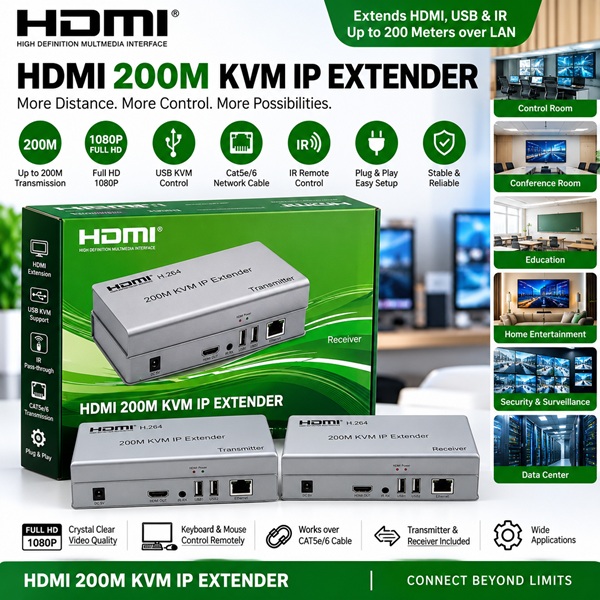
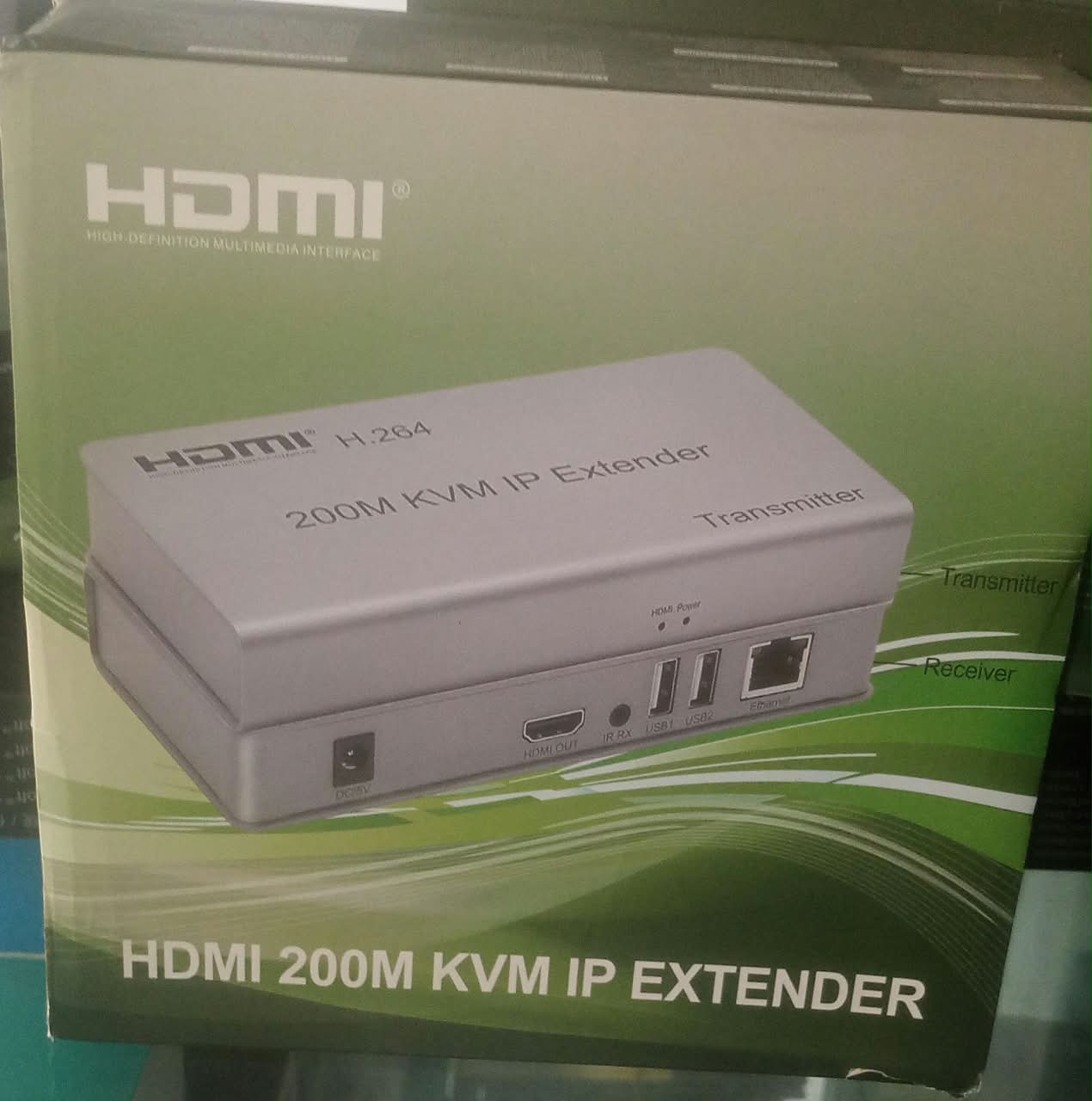
The HDMI 200M KVM IP Extender is a professional solution for extending HDMI video, USB keyboard/mouse control, and IR remote signals over a network cable. Designed for applications where the display and control equipment need to be located far apart, this extender helps deliver reliable connectivity over Cat5e/Cat6 Ethernet cable.
It is an excellent choice for control rooms, conference rooms, classrooms, offices, security monitoring, digital signage, home entertainment and other professional AV installations.
Key Features
- Up to 200M Transmission – Extend compatible HDMI signals over long distances using network cable.
- KVM Function – Supports remote keyboard and mouse control through USB.
- HDMI Video Extension – Transmit HDMI video from a source device to a remote display.
- 1080P Full HD Support – Designed for clear Full HD video transmission.
- IR Remote Control – Supports IR signal transmission for convenient remote operation.
- Cat5e/Cat6 Network Cable – Uses readily available network cabling for long-distance installation.
- Transmitter & Receiver Set – Includes dedicated transmitter and receiver units for the extension link.
- Plug & Play Design – Straightforward installation without complicated software.
- Multiple Applications – Suitable for business, education, security, entertainment and professional AV environments.
- Compact Hardware – Designed for convenient installation and integration into existing setups.
Long-Distance HDMI Extension
Standard HDMI cables can become impractical when equipment needs to be installed far apart. The HDMI 200M KVM IP Extender provides a convenient alternative by using Cat5e/Cat6 network cable for long-distance signal transmission.
With a transmission distance of up to 200 metres under suitable installation conditions, you can position your display away from the HDMI source while keeping your installation organized.
KVM Keyboard & Mouse Control
The built-in KVM functionality allows USB keyboard and mouse signals to be extended along with the HDMI connection. This is particularly useful when the computer or control system is installed in one location while the operator needs to work from another.
Ideal for:
- Control rooms
- Server and equipment rooms
- Monitoring stations
- Conference rooms
- Digital signage systems
- Remote computer operation
HDMI Full HD Video
The extender is designed to transmit 1080P Full HD video, making it suitable for computers, media players, surveillance systems and other compatible HDMI sources.
Enjoy clear video at a remote display without having to install a very long conventional HDMI cable.
IR Remote Control
The IR pass-through function allows compatible remote-control signals to be transmitted between the source and display locations. This can make it easier to operate equipment positioned away from the user.
Cat5e/Cat6 Network Cable
One of the major advantages of this HDMI extender is its use of standard Cat5e/Cat6 network cable for the transmission link. This can make long-distance installations more practical and easier to manage.
The actual achievable distance and performance can depend on cable quality, network equipment, installation conditions and environmental factors.
Perfect for Professional Applications
🖥️ Control Rooms
Extend video and control signals between computers and remote monitoring displays.
💼 Offices & Conference Rooms
Connect presentation equipment to displays positioned across larger rooms.
🎓 Schools & Training Centres
Extend computer video to classroom or training-room displays.
📹 Security & Surveillance
Connect monitoring systems to remotely positioned displays where compatible equipment is used.
🏠 Home Entertainment
Position your media equipment away from the television while maintaining a remote connection.
🏢 Data & Equipment Rooms
Keep computers or source equipment in a dedicated location while operating them remotely.
Simple Installation
A typical setup consists of:
HDMI Source + USB → Transmitter → Cat5e/Cat6 Cable → Receiver → HDMI Display + USB
Connect the HDMI source to the transmitter, connect the transmitter and receiver using the appropriate network cable, and then connect the receiver to your remote HDMI display and USB peripherals.
Product Specifications
| Specification | Details |
|---|---|
| Product Type | HDMI 200M KVM IP Extender |
| Transmission Distance | Up to 200M* |
| Video Resolution | Up to 1080P Full HD* |
| Video Interface | HDMI |
| KVM | USB Keyboard & Mouse |
| USB Ports | USB 2.0* |
| IR | IR Pass-Through |
| Transmission Cable | Cat5e/Cat6 |
| Configuration | Transmitter + Receiver |
| Technology | H.264* |
| Installation | Plug & Play |
| Application | HDMI, USB & IR Extension |
*Performance, supported resolutions, USB specifications and maximum transmission distance can vary according to the exact model, cable quality and installation conditions. Please verify the manufacturer’s datasheet before publishing model-specific technical claims.
Benefits at a Glance
✅ Extend HDMI over long distances
✅ Transmission distance up to 200M*
✅ Supports 1080P Full HD*
✅ Remote keyboard and mouse control
✅ IR remote-control pass-through
✅ Uses Cat5e/Cat6 network cable
✅ Transmitter and receiver included
✅ Suitable for professional installations
✅ Compact and practical design
✅ Ideal for offices, schools, security and entertainment
Why Choose the HDMI 200M KVM IP Extender?
When your HDMI source and display are separated by a long distance, running a conventional HDMI cable may not be the most practical solution. This 200M KVM IP Extender provides a flexible way to extend HDMI video while also supporting USB control and IR signals.
Its combination of long-distance transmission, Full HD video, KVM functionality and Cat5e/Cat6 connectivity makes it a versatile choice for both residential and commercial applications.


Reviews
There are no reviews yet.